How to Download TikTok Videos Without Watermark
How to download TikTok videos without watermark with TTGet: copy the link, paste it into the box, press Download and pick the quality. Free, no app.
Go to the downloader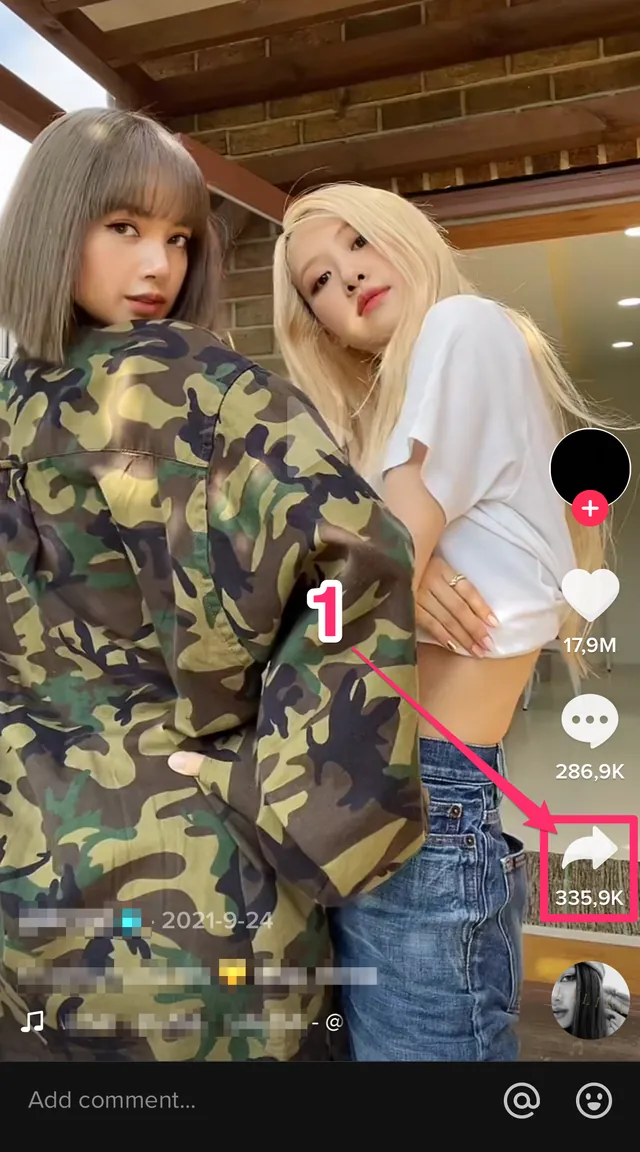
1. On TikTok App, tap Share.
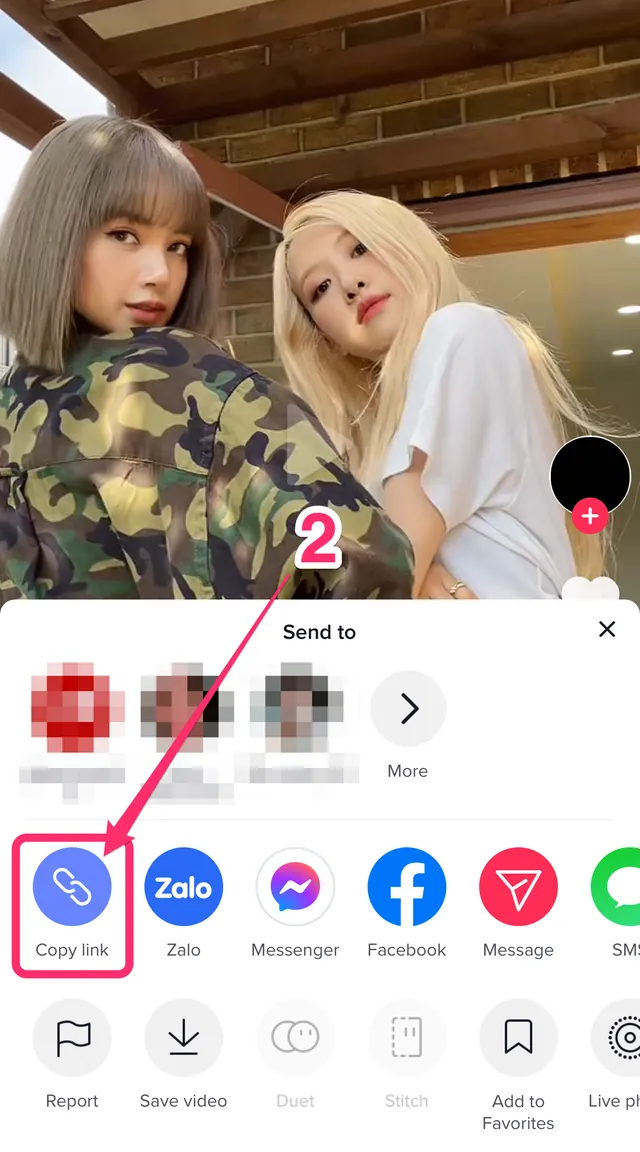
2. Tap Copy link.
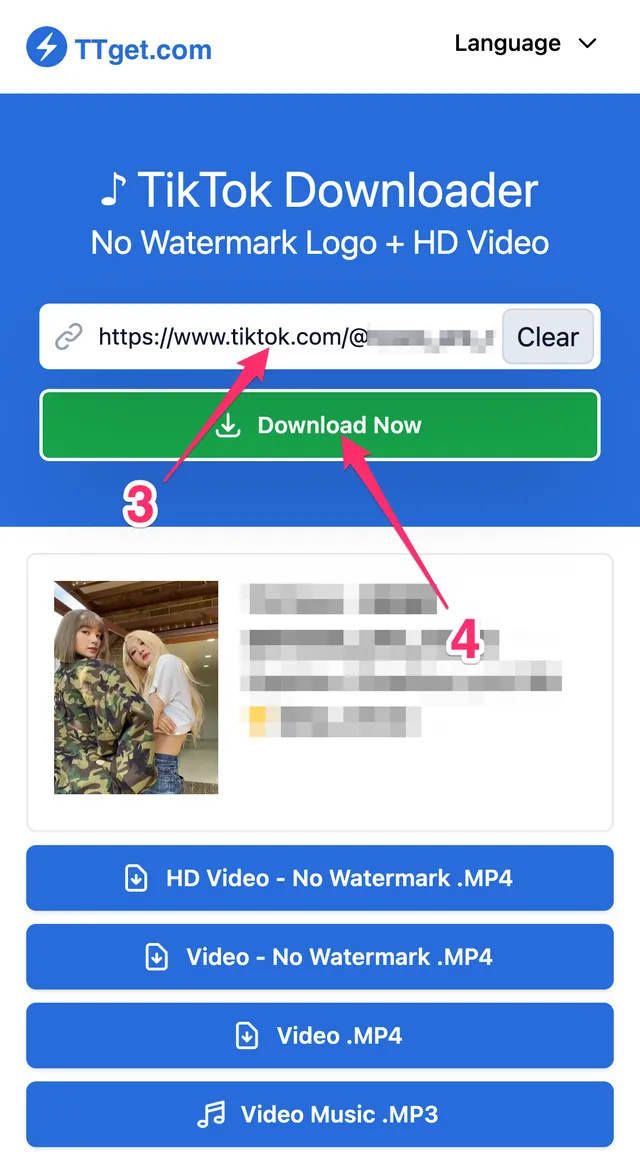
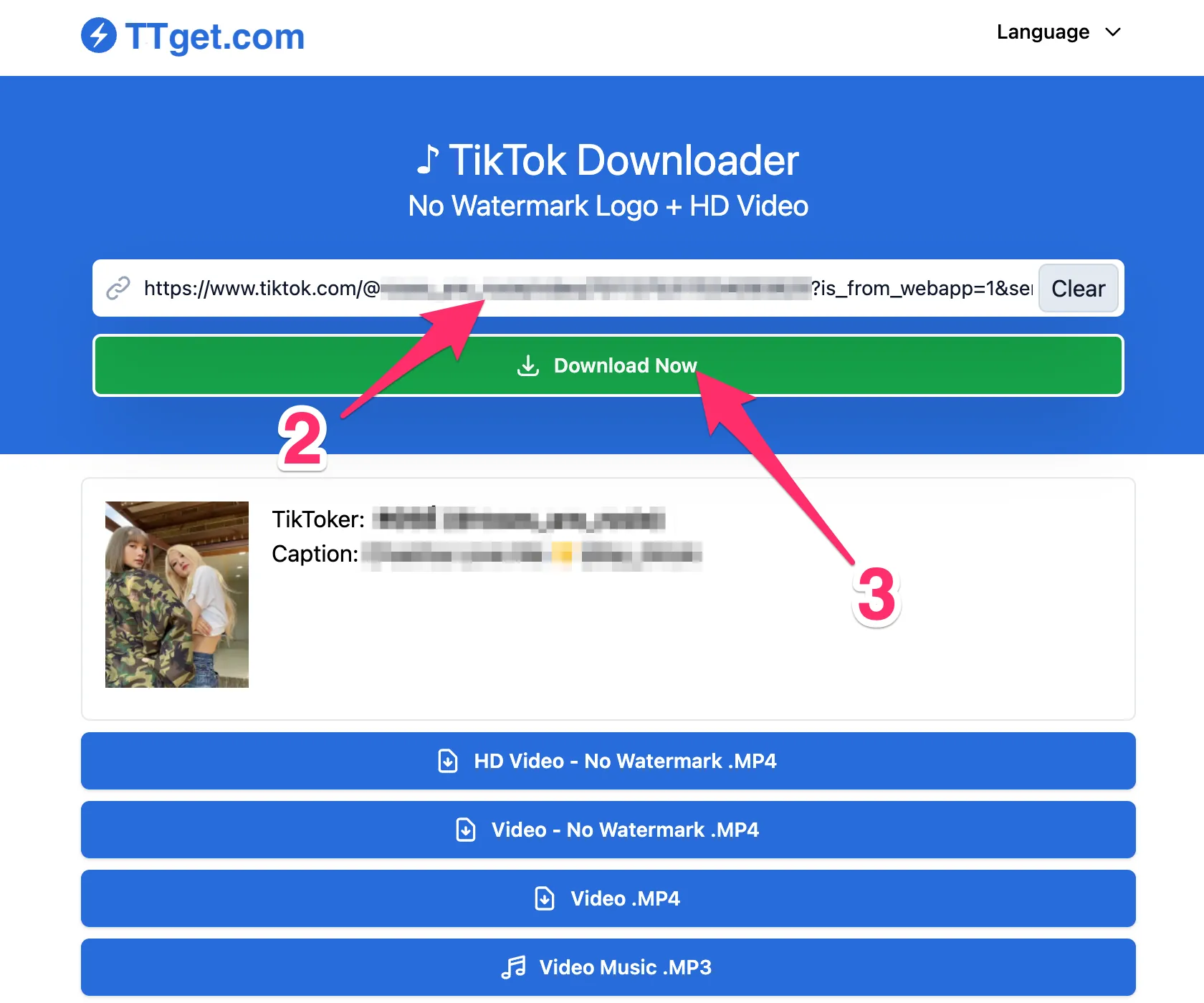
3. Open ttget.com. Paste the copied link into the input box.
4. Tap Download. All download options will show after a few seconds.
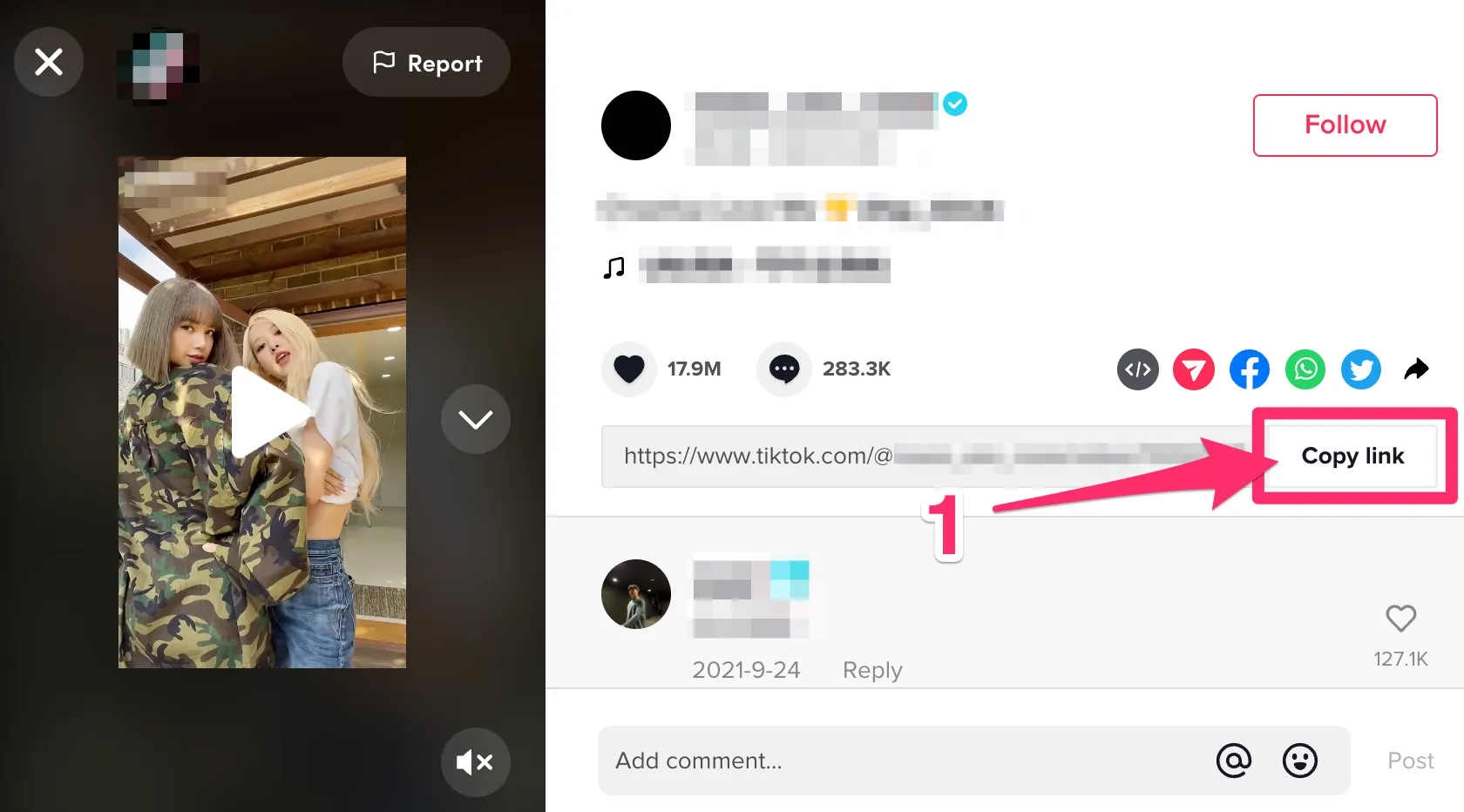
1. Go to website tiktok.com. Select a video to download.
2. Click Copy link.
3. Open ttget.com. Paste the copied link into the input box.
4. Tap Download. All download options will show after a few seconds.
Good to know
- Several links at once
Paste up to 20 links together (one per line, or several share texts). They run one after another, each with its own result block.
- Save to Photos
On iPhone, iPad and Android phones, a Save to Photos button appears next to the download link. It downloads the file and opens the share sheet to save it straight to Photos. Files over 80 MB use the normal link.
- Backup link
After you tap a download link, a small "Didn't work? Backup link" line appears under it. Use it if the file didn't download.
- Install as an app
In Chrome on Android and on computers, after your first download a line offers "Install app" to add TTGet to your device like an app. Safari on iPhone doesn't show it.
- Shortcut: ttget.com/ before the link
Type ttget.com/ in front of a video link in the address bar (for example ttget.com/https://www.tiktok.com/@user/video/123) and TTGet gets the video right away. With TTGet installed as an app on Android, you can also tap Share in TikTok or Douyin and choose TTGet.
- TikTok photo downloader
Download the photos of TikTok slideshows and Douyin photo posts without watermark, plus Live Photo clips and the music. Paste the link. Free, no app or login.
- Install TTGet as an app
Douyin downloader app or APK? TTGet needs no APK: add it from your browser in two taps. Downloads TikTok and Douyin on Android, iPhone and desktop.