TikTok MP3 Downloader
Paste a TikTok link above to save the video's sound as an MP3 file. Free, fast, and no app or account required.
How to convert TikTok to MP3
- Copy the TikTok link. In the TikTok app, tap Share on the video, then Copy link. On a computer, copy the URL from the address bar.
- Paste it into TTGet. Paste the link into the box at the top of this page and press Download.
- Save the MP3. After a few seconds the download options appear. Choose Video Music .MP3 to save the audio.
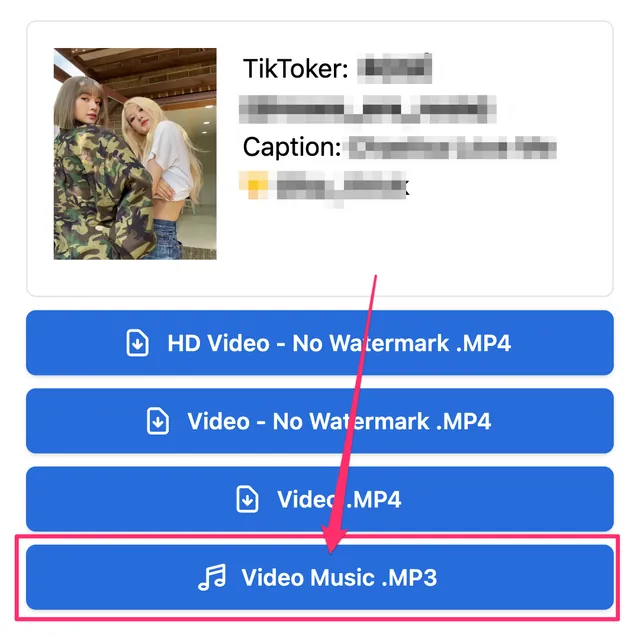
The same result also offers the video in HD without watermark, so you can save both from one link.
Why use TTGet to download TikTok audio?
- Free and unlimited. No fees, no subscriptions and no daily limits.
- No app or sign-up. Everything runs in your browser on iPhone, iPad, Android, Windows, Mac and Linux.
- Original sound. TTGet saves the audio track that TikTok serves for the video, without re-encoding it to a lower quality.
- Private. We don't keep a history of the links you paste or the files you save.
What you can save as MP3
- Songs and background music used in TikTok videos
- Voice-overs, podcasts clips and spoken content
- Sounds you want to reuse as a ringtone or notification sound
- Audio for offline listening when you don't need the video
If a sound comes from a commercial song, the MP3 is the clip used in that TikTok, not the full track.
Download TikTok MP3 on iPhone
Open ttget.com in Safari, paste the link and tap Video Music .MP3. Safari asks whether to download the file; tap Download. The MP3 is saved to the Files app in the Downloads folder, where you can play it or share it to other apps.
Download TikTok MP3 on Android
Open ttget.com in Chrome, paste the link and tap Video Music .MP3. The file is saved to your Downloads folder and can be opened with any music player.
Frequently asked questions
Is the TikTok MP3 downloader free?
Yes. TTGet is completely free to use, with no limits on how many MP3 files you save.
Do I need to install an app?
No. TTGet works in any modern web browser, so there is nothing to install.
Can I download TikTok audio without the video?
Yes. Choose Video Music .MP3 and only the audio is saved, which is much smaller than the video file.
Why is the MP3 option missing for some videos?
Some TikTok posts, such as certain photo slideshows or videos with restricted sounds, do not provide a separate audio track. In that case, download the video and extract the audio with your device's editor.
Is it legal to download TikTok sounds?
Downloading for personal use is generally fine, but the audio belongs to its creator or rights holder. Don't re-upload or use it commercially without permission. See our disclaimer.
Want the video instead? Use our TikTok video downloader without watermark to save TikTok videos in HD.